The 10 Best Habit Tracker Apps for 2027
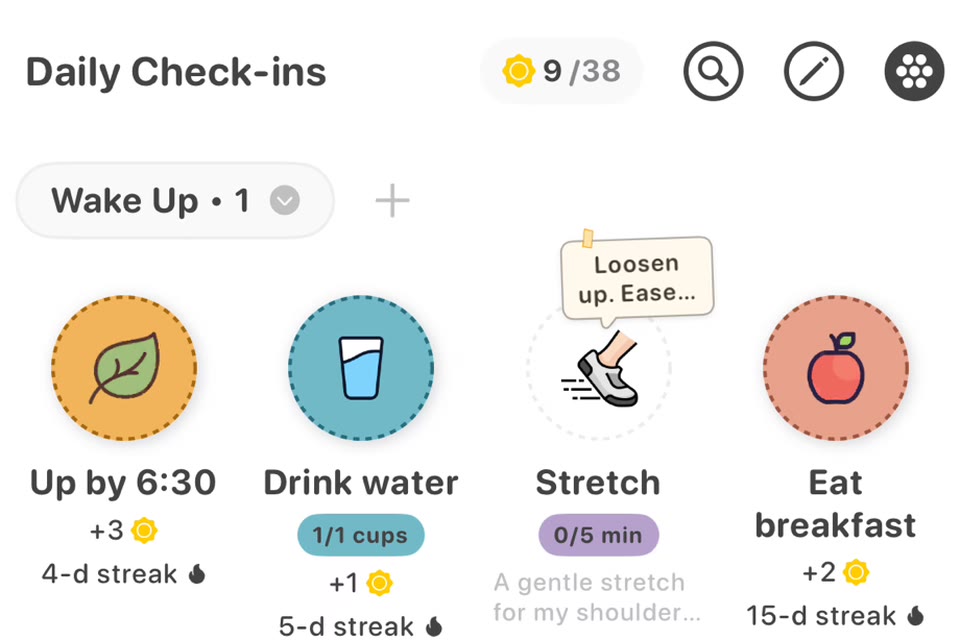
Pick a habit tracker based on what you’ll record. Reading in short bursts takes a tracker that can add up minutes. A morning walk may be easier to track from your watch. If you just want a daily checkmark, a free app may be all you need.
We make ShineDay and include it in this guide. The picks below are based on how you plan to use the app, which devices you use, and what the free or paid plan includes.
Quick picks by what you need
- Habits, notes, and to-dos together
- ShineDay. Track minutes or counts on Today, then use Flash Notes for ideas and Tasks for one-off errands.
- Free habit tracking on Android
- Loop Habit Tracker. An open-source option with reminders, charts, and a habit score.
- Apple Watch and Apple Health
- Streaks. Check off habits from your wrist and let supported Apple Health goals log automatically.
- Check-ins on a phone and a browser
- Habitify. Sync your progress across devices. The free plan supports up to three active habits.
Compare all 10 habit trackers
Scroll across to see every column.
| App | Best for | Key features | Platforms | Pricing |
|---|---|---|---|---|
 ShineDay | Habits, notes, and to-dos in one place | Check-ins by time of day, count and duration goals with Premium, habit reports, Flash Notes, one-off to-dos in Tasks, iPhone Pomodoro timer | iPhone, iPad, Android | Free to download. U.S. App Store plans are $4.99/month, $6.99/year, or $24.99 for lifetime access.U.S. App Store |
 Streaks | Apple Watch and Apple Health | Apple Health auto-tracking, Watch check-ins, custom schedules | iPhone, iPad, Apple Watch, Mac, Apple Vision Pro | $5.99 one-time purchaseU.S. App Store |
 Loop Habit Tracker | Free tracking on Android | Habit scores, reminders, progress charts | Android | $0. Free and open source.Loop website |
 Habitify | Syncing habits across devices | Cross-platform sync, progress charts, advanced reminders | iOS, Android, web, Mac, Apple Watch | Free for 3 habits. Plus is $29.99/year. Pro is $8.99/month with a 12-month iOS commitment, $49.99/year, or $119.99 lifetime.U.S. App Store |
 TickTick | Habits alongside tasks and a calendar | Habit check-ins, recurring tasks, calendar views | iOS, Android, web, Windows, Mac | Free for 5 habits. Premium is $4.99/month or $49.99/year.U.S. App Store |
 HabitKit | Seeing consistency in a visual grid | Color-coded grids, offline tracking, data export | iPhone, Android | Free for 4 habits. Listed Pro prices include $1.99/month, $11.99/year, and $29.99 lifetime.U.S. App Store |
 Habitica | Role-playing rewards and group quests | Recurring goals, experience and gear, party quests | iOS, Android, web | Free core app. An optional subscription costs $4.99/month, $14.99 every 3 months, $29.99 every 6 months, or $47.99/year.U.S. App Store |
 Finch | Small self-care goals | Goal checklists, virtual pet rewards, guided reflections | iOS, Android | Free core features. Finch Plus is $9.99/month or $69.99/year. The family plan is $119.99/year.Finch pricing |
 Way of Life | Spotting patterns with notes and charts | Color-coded check-ins, daily notes, trend charts | iOS, Android | Free to download. The U.S. App Store lists Premium at $4.99, $14.99, and $29.99. See the app for billing terms.U.S. App Store |
 Productive | Guided challenges and habit ideas | Habit reminders, guided challenges, reflection prompts | iOS, Android | Free to download. Listed Premium prices include $10.99/month and annual offers at $19.99, $39.99, $59.99, or $79.99.U.S. App Store |
Prices were checked on November 25, 2026 and are in U.S. dollars. Offers and features can vary by store and region.
How we compared the apps
We looked at three everyday needs. Can you add up two reading sessions toward one daily goal? Can you schedule a habit a few times a week? Can you tell from your history which days you missed?
How to track two reading sessions in one day
The sample ShineDay habit Read a book has a 25-minute daily goal. We started from a saved 10-minute total on Today, then tapped it three times after a second session. With Quick Check-in on and a 5-minute increment, each tap added five minutes. Today showed 25 of 25 minutes and marked the habit complete. The amount shown is the day’s total.
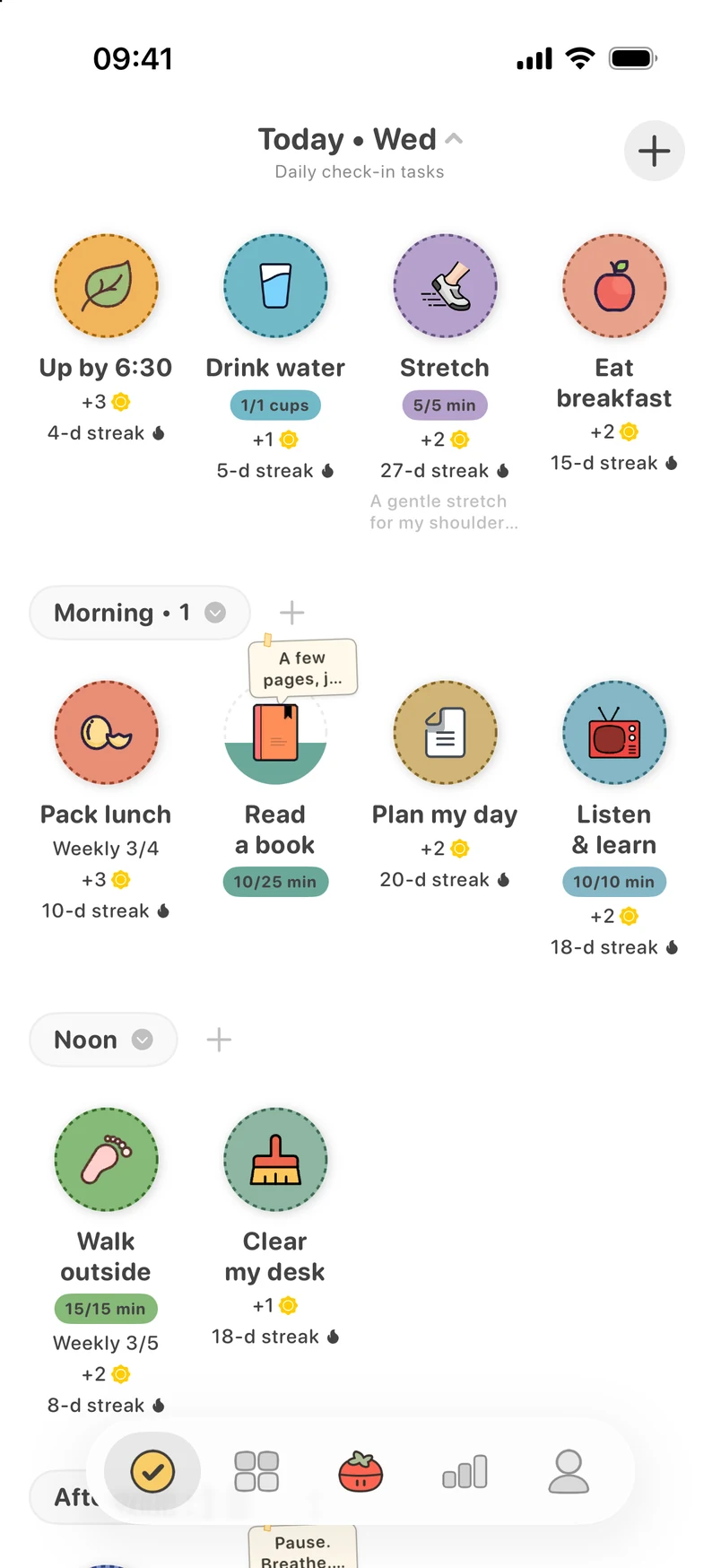
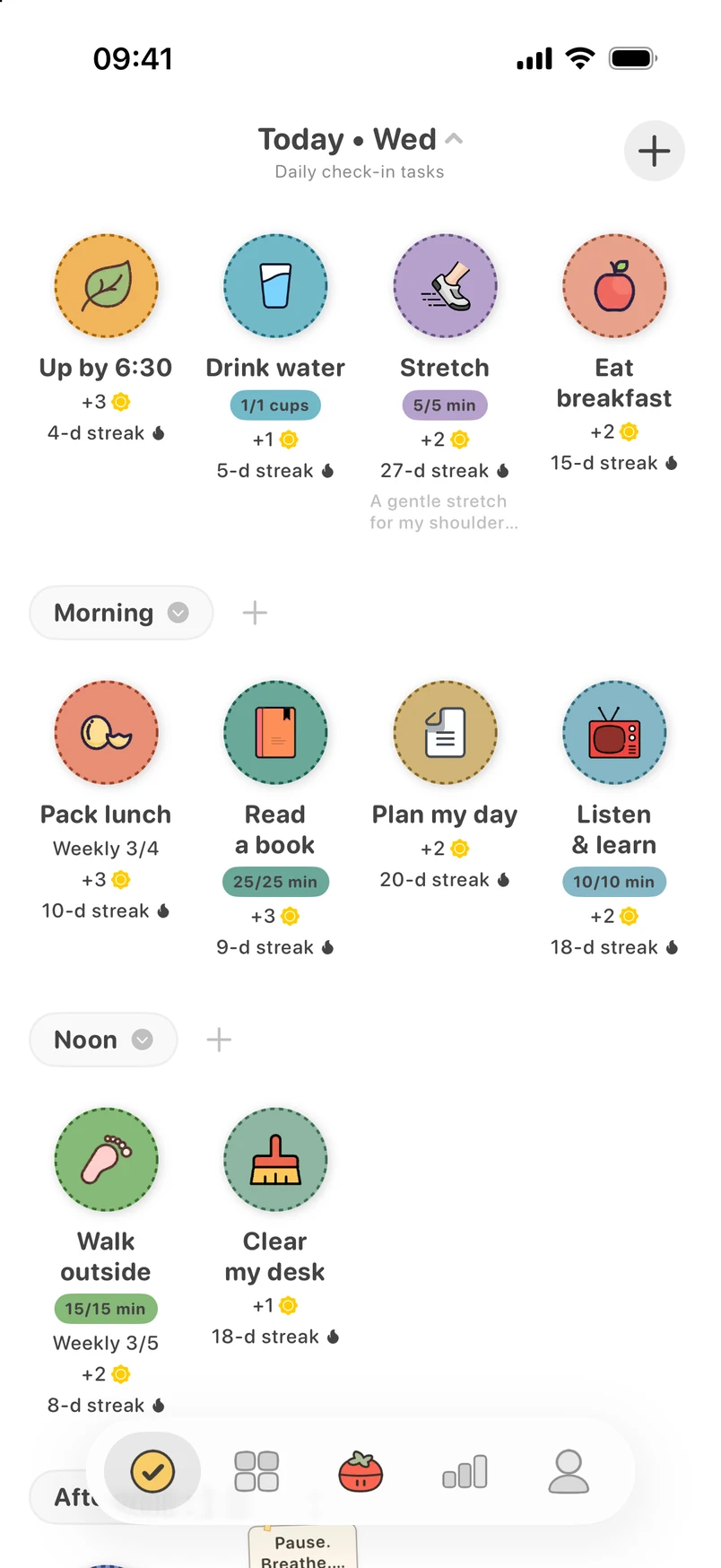
In the Habits report, the sample week showed 75 minutes across three completed days. The weekly grid showed the check-ins by day alongside the total.
Set up a reading habit in ShineDayHow the same task works in other apps
- Streaks. Create a timed reading task. Start and pause its timer when you read, or use Record Timing to add minutes you already read. Its schedules also support a set number of days each week. Timed Tasks and Streaks Help.
- Loop Habit Tracker. Use a measurable habit to record a daily number, such as 25 minutes. Set a frequency such as three times a week and review your habit score over time. A missed day lowers the score without wiping out the history you’ve built. Loop release notes and Loop features.
- Habitify. Use a goal measured in minutes. In the mobile app, open Log Progress and choose Add to combine 10 and 15 minutes. In the browser, find earlier entries in Log History. Mobile progress guide and web progress guide.
ShineDay — Habits, notes, and to-dos in one place
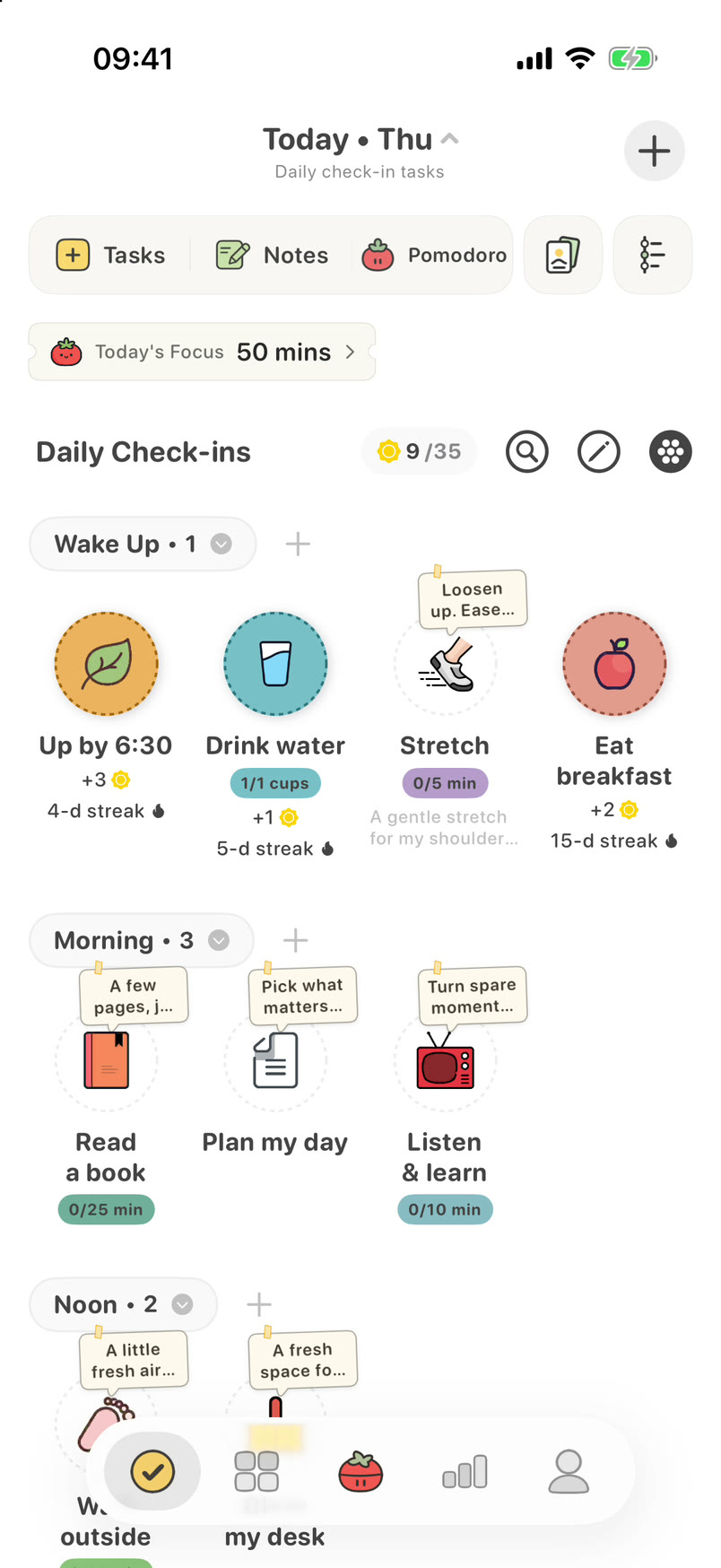
Organize habits by time of day and check them off from the Today screen. A stretch can be a simple checkmark. For reading, Premium’s Quantified Tracking lets you set a 25-minute goal and add minutes as you go. Weekly and monthly reports show which routines you’ve been keeping.
Use Flash Notes to jot down ideas and Tasks to keep track of one-off to-dos like returning a library book. On iPhone, you can attach a Pomodoro session to a habit or project. Check your device’s store listing if you need a particular feature.
Streaks — Apple Watch and Apple Health
Streaks can mark a compatible habit complete when Apple Health records the activity. Set a step goal and let your device count it as you walk. For habits you log yourself, such as flossing, you can check in from Apple Watch.
It fits an Apple-only setup. Set a schedule that reflects your actual week, such as a weekday walk, so planned days off leave your streak intact.
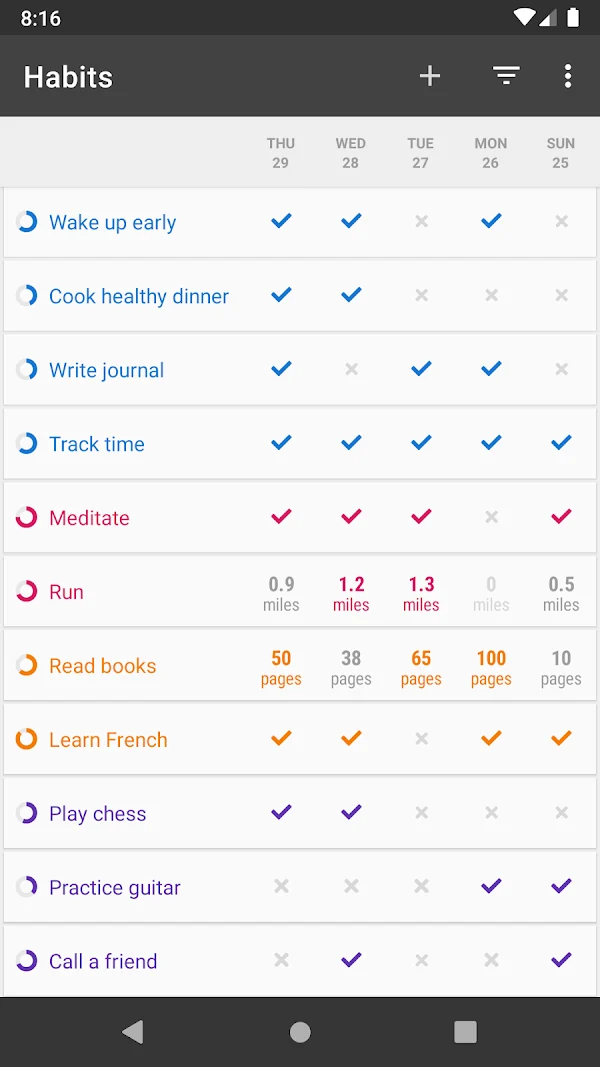
Loop Habit Tracker — Free tracking on Android
Loop gives you reminders, charts, and a habit score without a subscription. Its score takes your tracking history into account, so one missed day has less weight than it does in a simple streak.
Choose Loop if you want to log habits on an Android device. For check-ins from a browser or an iPhone, look at Habitify.
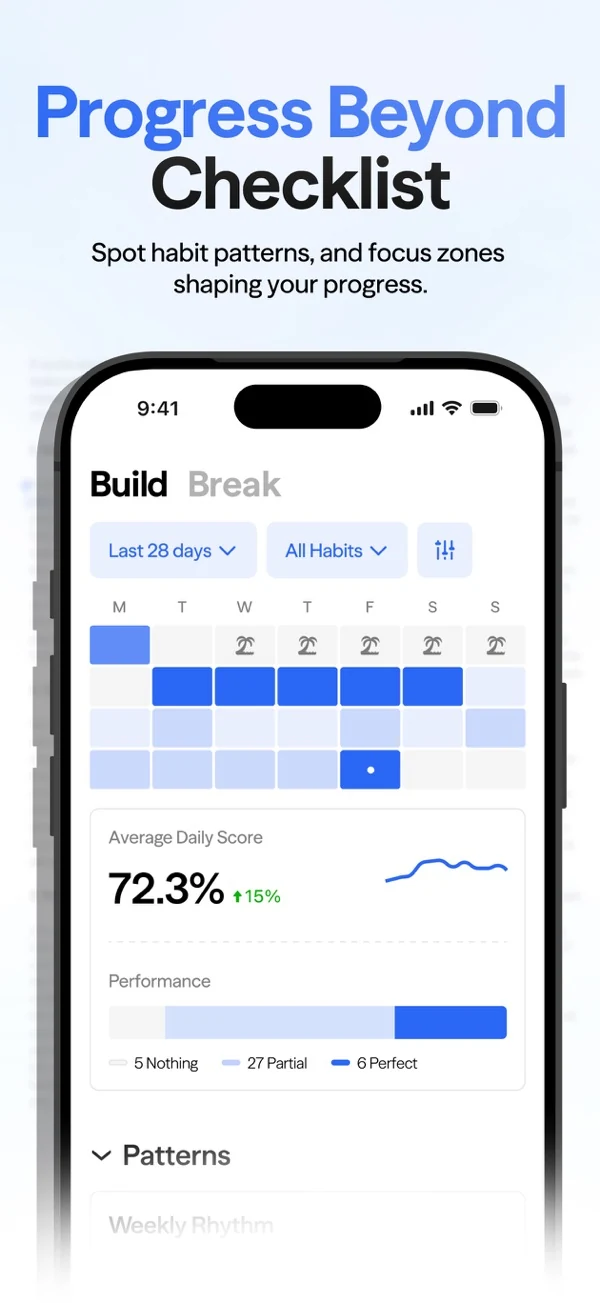
Habitify — Syncing habits across devices
Habitify suits a routine that moves between devices. You could check in on an Android phone after a walk and pull up your habit history in a desktop browser later that day. Cross-platform sync is included in the free plan.
The free plan is enough for a short list. Plus adds unlimited habits and advanced reminders. Pro adds calendar and health integrations.
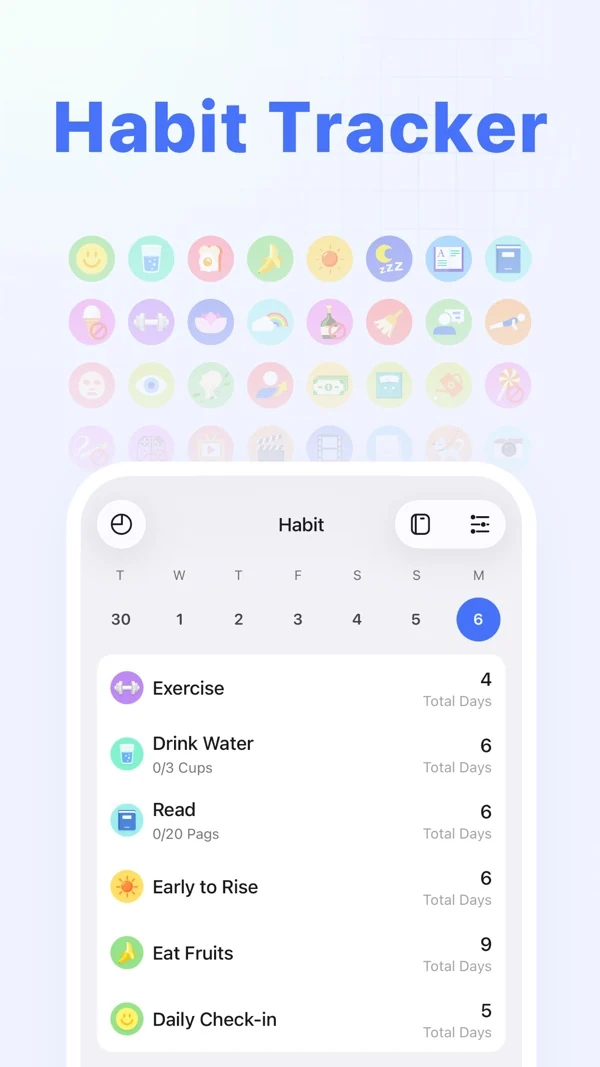
TickTick — Habits alongside tasks and a calendar
TickTick is a practical pick if most of your day is already organized in a to-do list. Create a habit for your regular lunch walk, then use tasks and the calendar for deadlines, meetings, and errands.
Expect more setup than with a dedicated habit tracker. TickTick lists a five-habit limit for the free plan, and some calendar views require Premium.
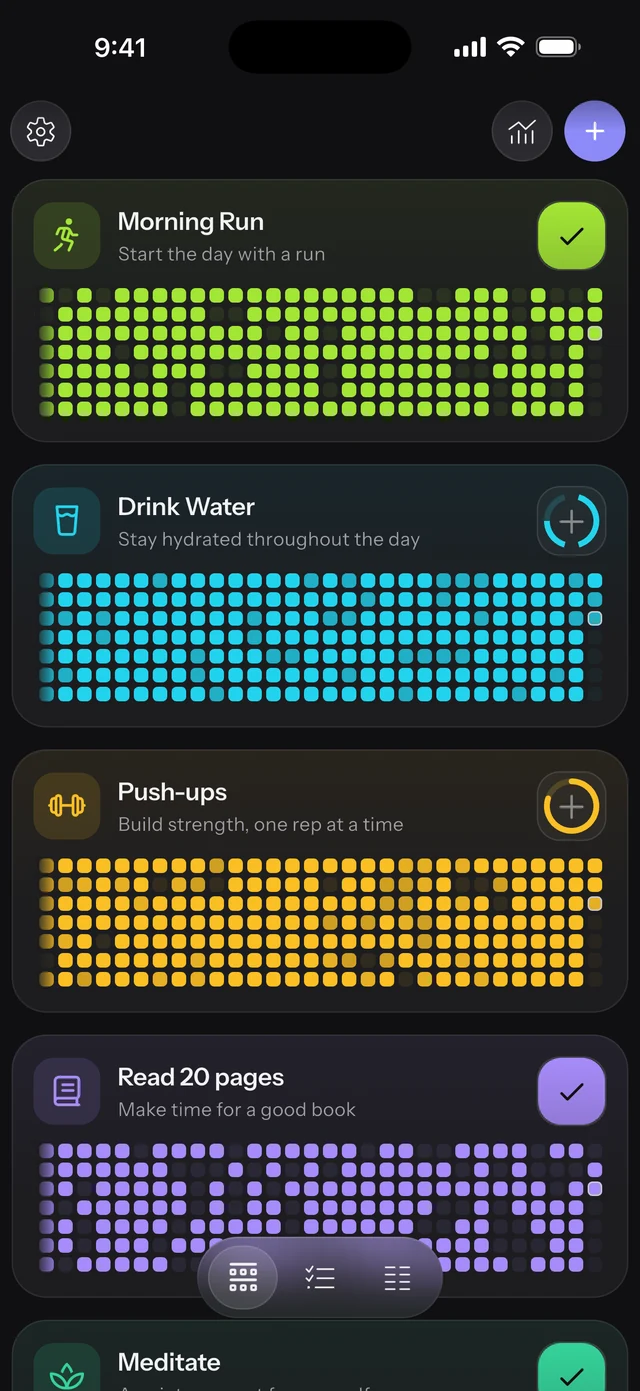
HabitKit — Seeing consistency in a visual grid
HabitKit gives each habit a grid of daily tiles. A quick look can tell you whether your evening reading has become a weekday habit or is mostly happening on weekends.
You can start without an account. If you change phones, check the backup and export instructions before switching devices.
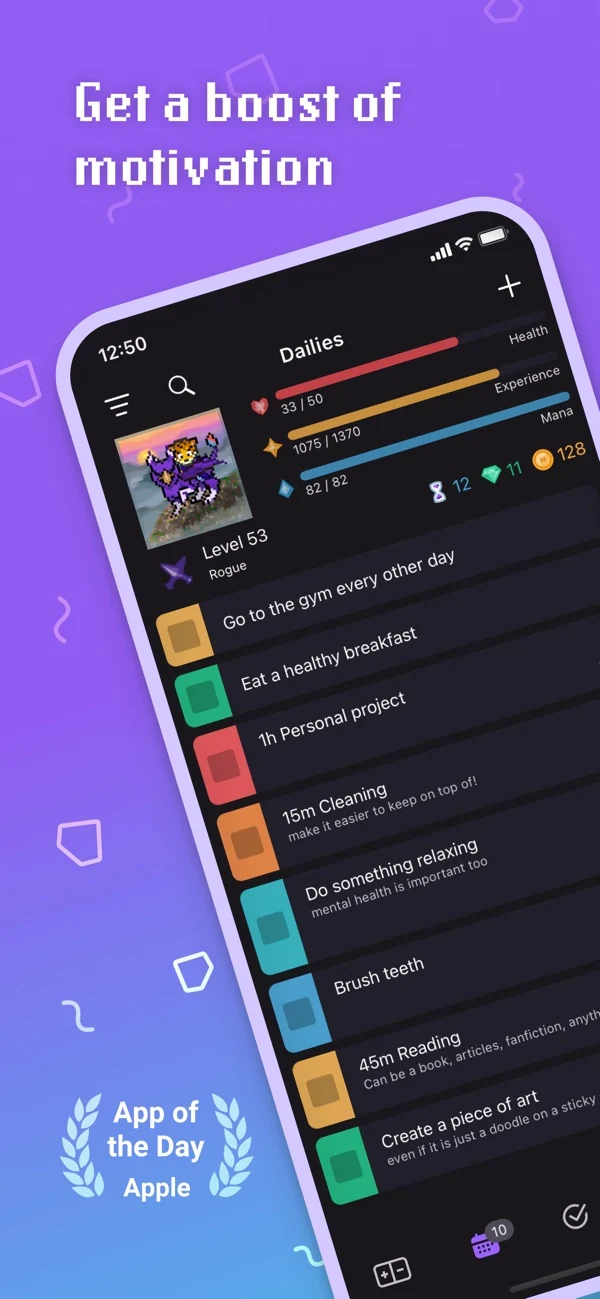
Habitica — Role-playing rewards and group quests
Checking off daily goals earns experience and rewards for your character. If a shared goal helps you show up, you can join a party and work through quests with friends.
You’ll spend some time learning the game. If a quick checkmark is all the motivation you need, Loop or HabitKit keeps the process simpler.
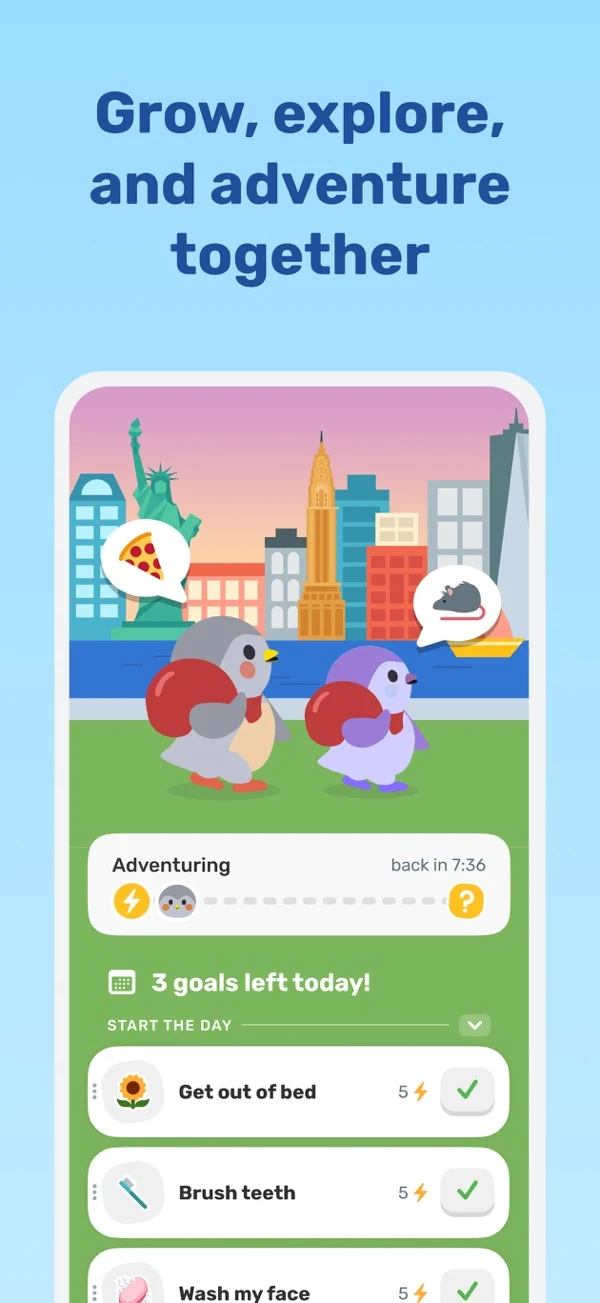
Finch — Small self-care goals
Finch gives you a virtual bird to care for as you complete goals. It works well for small actions you can do on busy days, like drinking a glass of water or stepping outside for a minute.
The pet and its rewards are central to the experience. If you mainly want to measure minutes, amounts, or longer-term trends, start with ShineDay or Loop.
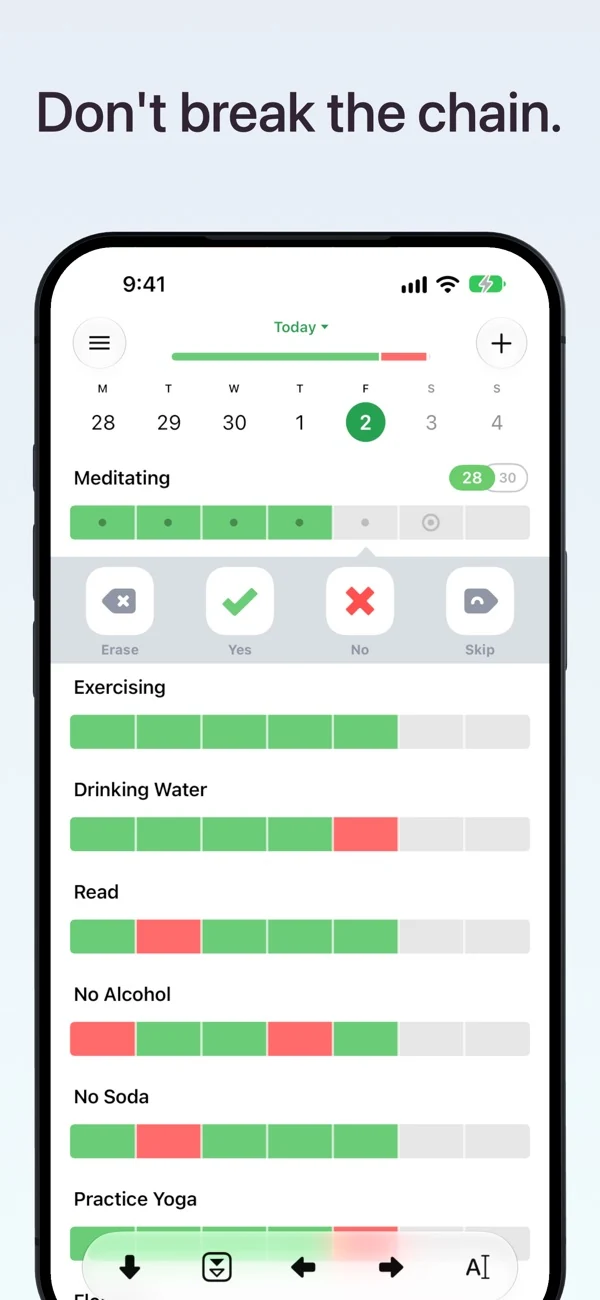
Way of Life — Spotting patterns with notes and charts
Way of Life pairs habit check-ins with notes and charts. If you keep missing your evening stretch, add a quick note about what happened. After a few weeks you can look for patterns in both the chart and your notes.
It’s a good fit for reviewing what helped or got in the way. If your priority is totaling something like reading minutes, choose a tracker built around amounts.
Productive — Guided challenges and habit ideas
Productive offers challenges and prompts alongside ordinary habit reminders. It’s worth a look if you want to build an evening routine and could use suggestions for where to start.
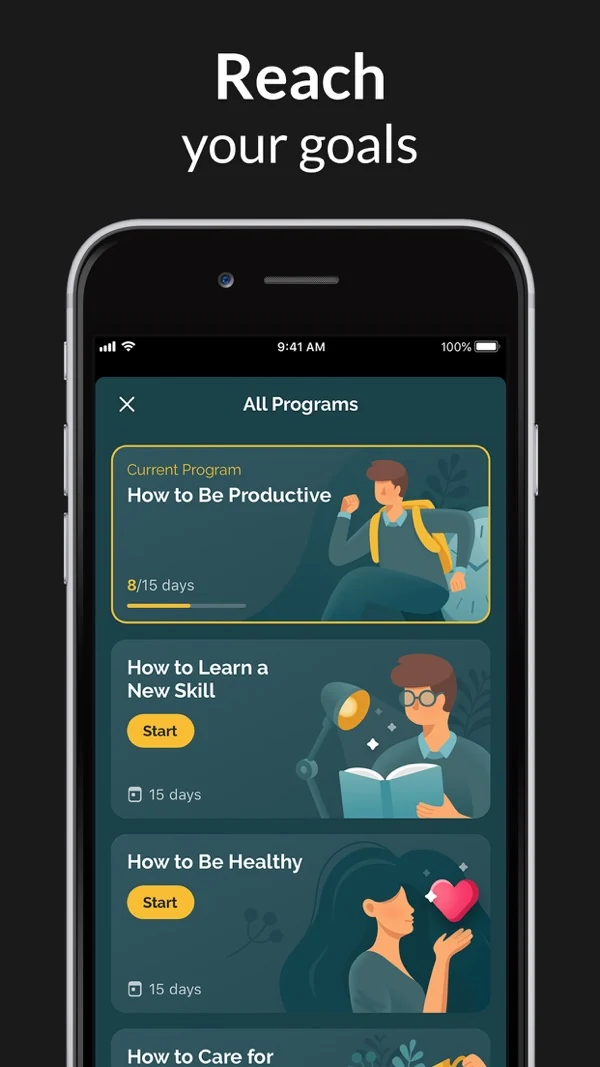
The store listings put unlimited habits and several challenge and reminder features behind Premium. Check which parts of a program you can access before committing to it.
Try one habit for a week
Pick one action and decide when you’ll do it. For example, read a page after your first coffee. Use the app you’d naturally reach for at that moment, whether that’s ShineDay on your phone, Streaks on your watch, or Habitify in the browser. After seven days, see how often you remembered to do the habit and how easy it was to log.
See how check-ins work in ShineDayFor a plan you can follow on hectic days, try this seven-day habit example.